

A finishing contour can be offset twice when CAM already accounts for the cutter radius and the control receives another full-radius value. It can also be shifted to the wrong side when left and right are judged from the operator’s view of the machine. G41 and G42 cutter compensation require one consistent definition of the programmed path and the amount applied at the control.
The immediate task is to establish three things: travel direction, compensation mode and entry geometry. Once those are clear, offsets can be used for the intended size adjustment without silently changing the meaning of the program. A familiar code number does not remove controller-specific requirements.
This guide uses planar milling geometry to explain the decision. It is not a ready-to-run program and does not transfer mill cutter-radius settings to lathe tool-nose compensation. Consult the actual machine and control documentation for allowed activation moves, offset interpretation and cancellation behavior.
For a milling operation, compensation should be part of the process definition, together with the CAM strategy, postprocessor and tool record. A correct contour on the screen is insufficient when the posted file and the control’s offset table describe different paths.
How does G41 and G42 cutter compensation select a side?
Left and right follow the programmed travel direction.
For G41 and G42 cutter compensation, look forward along the active contour direction and identify the intended tool-center side, then confirm the control’s offset convention before use.
In conventional positive planar compensation, G41 selects the left side and G42 the right side of the programmed direction. Reversing the contour direction reverses which physical side is left. The side should therefore be established from a marked travel arrow rather than from a fixed machine-side viewpoint.
Haas's mill programming workbook illustrates these codes and the associated offset selection. Its examples apply to the described Haas context; another control can impose different activation or data-entry rules. A negative value can also affect the effective direction, so the sign belongs in the review.
Separate compensation side from spindle rotation and cutting strategy. A convenient association with climb milling is not a sufficient rule for every inside and outside contour. Sketch the material boundary, travel arrow and desired cutter-center path. That sketch exposes an incorrect side before an offset adjustment becomes a trial-and-error attempt to repair the resulting dimension.
Provide valid compensation entry and exit geometry
Compensation needs room to transition from the approach path to the compensated contour. An entry that is too short or geometrically unsuitable can trigger an alarm or produce an unintended move. Cancellation also needs a deliberate exit; it should not be left to the next unrelated positioning block.
Autodesk's in-control lead-distance support note describes how its CAM compensation selection affects lead geometry. That software behavior does not replace the selected controller’s requirements. Review the posted activation and cancellation moves under the actual control convention.
Place the entry where it does not leave an unacceptable witness on a functional surface. Check the complete cutter and holder envelope against stock and fixtures, including the transition before the tool reaches the finished profile. A line that clears the final part may still cross unmachined stock.
Do not repair an entry problem by arbitrarily changing a full-radius offset to a small wear value. That changes the interpretation of the complete contour. Resolve whether the path is programmed on the part boundary or already offset by CAM, then regenerate or revise the approach consistently. Preserve the original intended stock allowance while doing so.
Distinguish geometry offsets from wear corrections
Full geometry compensation and wear compensation serve different programming arrangements. In a full in-control approach, the controller offsets from the programmed boundary by the selected cutter value. In a wear approach, CAM commonly supplies the nominal tool-center path and the control applies a small correction according to the defined convention.
Autodesk's cutter-radius compensation reference distinguishes in-computer, in-control, wear and inverse-wear modes. These are software-specific definitions that must agree with the postprocessor and the machine. Do not infer the required control entry merely from the presence of G41 or G42 in the file.
Confirm whether the register uses radius or diameter and whether geometry and wear fields are combined. A numerical entry can have different physical effects under different settings. The selected D register must also correspond to the intended tool data; a correct tool number does not prove the correct compensation record.
Keep tool measurement and part-size correction conceptually separate. A measured cutter diameter is evidence about the tool, while a finishing adjustment responds to the part and process. Large corrections can indicate an incorrect mode, tool record or deflection problem rather than ordinary wear. Investigate that cause before allowing the correction to become the repeat setup baseline.
Simulate the posted compensated path before cutting
Simulation should inspect the posted motion and the compensation assumptions, not only the nominal CAM curve. Confirm that the simulation represents the selected controller behavior or clearly identify where it does not. Tool, stock and fixture models must correspond to the actual setup.
Autodesk's compensation-radius allowance reference explains that control look-ahead and contour curvature can limit what compensated paths can be resolved without gouging. A valid code syntax does not establish a physically feasible cutter-center path around every corner.
Inspect entries, exits, small internal radii, short segments and changes in contour direction. Check any region where the effective offset approaches the local available space. A larger tool substitution can invalidate a previously acceptable path even if the same tool number and compensation mode are retained.
Follow the machine manufacturer’s proving procedure before cutting. Simulation, graphics, controlled dry runs and first-part checks have distinct roles. None should be used as permission to bypass workholding or guarding requirements. The process for multi-axis work requires additional review of tool orientation and control support; planar G41/G42 assumptions are not automatically a complete three-dimensional compensation strategy.
Confirm units, register convention and path basis
The compatibility review is easiest when programming assumptions are written as separate fields. A setup sheet that says cutter compensation on leaves the crucial amount and path definition unresolved. The following comparison identifies the data that must agree.
| Item | Question | Mismatch consequence | Check |
|---|---|---|---|
| Units | Do program and offset entries use the intended unit system? | Wrong physical displacement | Program state and tool table |
| Path basis | Boundary or CAM-offset tool center? | Missing or double compensation | CAM mode and posted coordinates |
| Register convention | Radius, diameter, geometry and wear? | Incorrect adjustment magnitude | Actual control setting |
| Active plane and direction | Which planar contour is being followed? | Wrong side or unsupported operation | Controller documentation and simulation |
| Entry and exit | Are activation and cancellation moves valid? | Alarm, gouge or witness | Posted-path review |
Haas's basic programming documentation provides a manufacturer-specific context for modal program states and tool data. Apply the equivalent manual for the actual machine rather than treating a mixed collection of familiar codes as portable proof of compatibility. A transferred file should carry its assumptions with it.
Sketch side selection and an assumed radial correction
Consider a hypothetical straight boundary programmed along positive X at Y = 0 in the XY plane. Assume a positive 5 mm radius compensation and the conventional left/right definition, with no other compensation already built into the path. The G41 cutter center lies at Y = +5 mm; G42 places it at Y = -5 mm.
Reverse travel to negative X and the physical sides swap: left is now negative Y. This simple sketch explains why viewing the machine from the same location is not a valid side-selection method.
For a separate hypothetical size adjustment, assume the control interprets the selected value as a radial correction and a circular bore must increase by 0.02 mm in diameter. The geometric radial change is 0.01 mm. Its required sign depends on the contour direction, side and compensation mode; do not enter it until those are confirmed. A diameter-based register would use a different numerical convention.
These calculations illustrate geometry, not executable instructions. The entry, exit, active plane, tool data and machine limits remain unspecified. Their purpose is to expose the direction and factor-of-two questions before anyone changes an offset at the machine.
Check first-part contour size without concealing form error
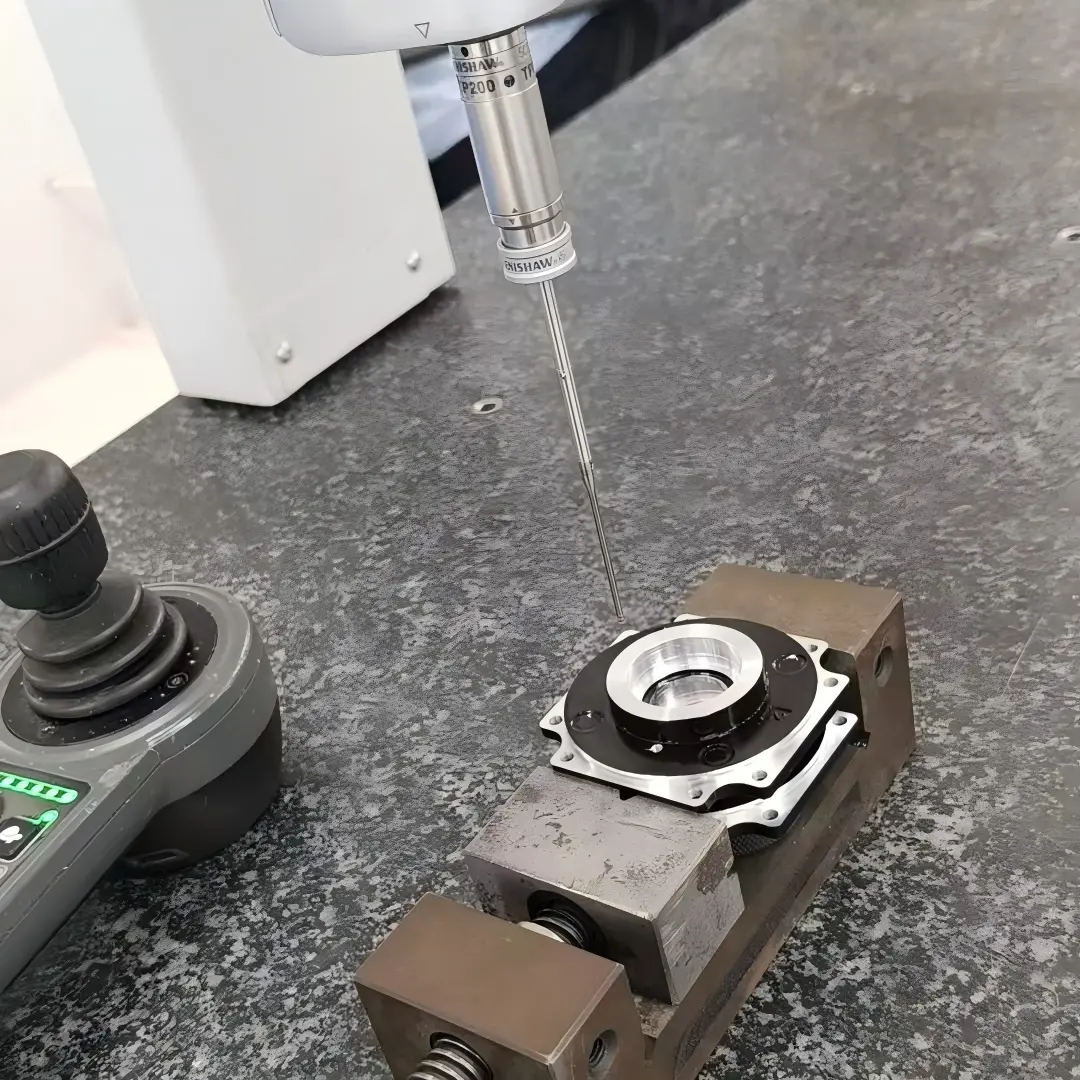
First-part verification should test the expected effect of the selected compensation. Measure the controlled feature using the released datum and method, then compare the result with the intended stock allowance and toolpath. A large unexplained error deserves investigation before another offset is applied.
Check contour size and shape. An offset can correct a systematic size error while leaving taper, chatter, corner damage or local deflection unresolved. Measure at relevant depths and positions instead of accepting one favorable diameter or width.
The inspection plan should identify which results drive a permitted wear adjustment and which require a process review. Preserve the offset change and resulting measurement with the tool and program revision. This prevents a corrective value from losing its context on the next setup.
Haas's mill safety guidance emphasizes controlled operation and secure workholding. A successful simulated contour does not verify the physical setup. Keep clearances, fixturing and manufacturer proving procedures in the first-part plan. Where the program or offset mode changes, repeat the checks affected by that change rather than assuming that a previous part-size approval covers a different motion path.
Preserve the CAM and control interpretation at handoff
The handoff record should identify the program revision, CAM compensation mode, postprocessor context, active plane, intended side and selected offset register. Include the radius or diameter convention and the initial geometry and wear values in a form that the receiving operator can interpret.
State the approved adjustment scope. An operator should know whether a small measured size correction is permitted and when a discrepancy requires review of the program, cutter or setup. Avoid a blanket instruction to adjust until the part fits; that can conceal an incorrect path basis.
Keep tool substitutions controlled. A replacement cutter with a different nominal diameter may need a regenerated CAM path, revised lead geometry or a different control value depending on the selected mode. The same register number does not make those choices equivalent.
For archived repeat work, preserve enough setup information to reconstruct the original interpretation. A program file without its compensation convention can become ambiguous after a control setting or postprocessor changes. The durable record is the coordinated path-and-offset definition plus the first-part evidence that demonstrates its intended effect.
FAQ
Is lathe tool-nose compensation the same as milling cutter compensation?
They share the idea of accounting for a cutting geometry, but the tool model, orientation data and applicable plane differ. A lathe tool-nose radius and tip orientation cannot be treated as a mill cutter diameter. Use the lathe control's own documentation and the correct postprocessor convention. A code number appearing in both manuals does not make the offset fields or entry rules interchangeable between the two machine types.
Can a wear adjustment correct a damaged cutting edge?
It may move the nominal path, but it cannot restore the cutting edge's geometry or surface-producing behavior. A chipped or unstable tool can leave local damage, poor form or unpredictable size. Inspect the tool and process when the correction becomes unusual or the surface changes. Replace or disposition the tool as appropriate, then re-establish the correct measurement and offset state rather than carrying a damage-related correction into the next cutter.
Why does a file run on one control but alarm on another?
Controls can differ in accepted compensation transitions, register conventions, look-ahead behavior and supported combinations of modal states. A valid path on one machine therefore needs a compatibility review before transfer. Use the target control documentation and a suitable postprocessor, then prove the transferred program under the manufacturer's procedure. Removing an alarm-producing block without understanding its role can change the path or leave compensation active at an unintended location.
Conclusion
Correct compensation depends on a coordinated interpretation: the direction of travel establishes left and right, the CAM mode establishes what the coordinates mean, and the control settings establish how an entered value moves the tool. Entry and exit geometry must support that interpretation throughout the contour.
Prove the posted path and verify the first part before treating an offset as routine production data. When a correction is unexpectedly large, investigate the path basis, register, tool condition and physical setup instead of accumulating compensating mistakes. Keep size adjustment separate from unresolved form or surface defects.
For a compensation-sensitive feature review, provide 6CProto the part drawing, critical contour and inspection requirements. A clear feature definition supports the machining discussion while the final program and proving procedure remain specific to the selected machine and control.
{“@context”: “https://schema.org”, “@type”: “FAQPage”, “mainEntity”: [{“@type”: “Question”, “name”: “Is lathe tool-nose compensation the same as milling cutter compensation?”, “acceptedAnswer”: {“@type”: “Answer”, “text”: “They share the idea of accounting for a cutting geometry, but the tool model, orientation data and applicable plane differ. A lathe tool-nose radius and tip orientation cannot be treated as a mill cutter diameter. Use the lathe control’s own documentation and the correct postprocessor convention. A code number appearing in both manuals does not make the offset fields or entry rules interchangeable between the two machine types.”}}, {“@type”: “Question”, “name”: “Can a wear adjustment correct a damaged cutting edge?”, “acceptedAnswer”: {“@type”: “Answer”, “text”: “It may move the nominal path, but it cannot restore the cutting edge’s geometry or surface-producing behavior. A chipped or unstable tool can leave local damage, poor form or unpredictable size. Inspect the tool and process when the correction becomes unusual or the surface changes. Replace or disposition the tool as appropriate, then re-establish the correct measurement and offset state rather than carrying a damage-related correction into the next cutter.”}}, {“@type”: “Question”, “name”: “Why does a file run on one control but alarm on another?”, “acceptedAnswer”: {“@type”: “Answer”, “text”: “Controls can differ in accepted compensation transitions, register conventions, look-ahead behavior and supported combinations of modal states. A valid path on one machine therefore needs a compatibility review before transfer. Use the target control documentation and a suitable postprocessor, then prove the transferred program under the manufacturer’s procedure. Removing an alarm-producing block without understanding its role can change the path or leave compensation active at an unintended location.”}}]}