

What a Prototype Is For
A prototype is a working representation of a product or part, built to validate a design before production. Its purpose is to make the design testable: a drawing or a CAD model cannot answer questions about feel, fit, or function, while a physical part can. The prototype collects feedback, exposes problems, and produces data, and each of those outcomes needs a different kind of part. The central discipline is matching the prototype to the question being asked. A prototype that is too simple for the question produces no useful data, and one that is too elaborate wastes time and money.
That question-first approach is what separates a useful prototype program from a string of expensive models. Before ordering anything, name the decision the build must inform, whether it is the look of the product, the fit of an assembly, the performance of a mechanism, or the manufacturability of the process. The type follows the question, not the calendar.
Prototype Types and the Stage They Serve
The prototype family spans the development stages, and each type has a defined role. A concept model answers design questions about look, feel, and direction, and is typically 3D printed or modeled with little or no function. A visual prototype adds finish and color so stakeholders can judge appearance before the engineering is complete. A functional prototype proves the mechanism, fit, and performance in real materials at real tolerances. An engineering prototype carries detailed technical validation with production materials. A pre-production prototype is built with the production process and tooling to validate manufacturing and assembly before volume.
| Type | What it proves | Typical form |
|---|---|---|
| Concept model | Look, feel, design direction | Printed or modeled appearance part |
| Visual prototype | Appearance and finish | Painted, finished model |
| Functional prototype | Mechanism, fit, performance | Machined or printed working part |
| Engineering prototype | Detailed technical validation | Production materials, real tolerances |
| Pre-production prototype | Manufacturing and assembly | Production process, pilot run |
The types are not a strict ladder. A simple part can move straight from a concept model to a pre-production build, while a complex device may cycle through several functional prototypes. The principle remains the same: each prototype answers the question the stage needs answered.
Concept Models: Settling the Look and Feel
The concept model answers design questions: does the product look right, feel right, and fit the hand. It is often 3D printed or carved from modeling material, with little or no function, and it is used for design reviews, user feedback, and early marketing. It should be cheap and fast, because the design is still moving and the model will be revised. The concept stage is where brand and ergonomics are decided, and a painted and textured model can stand in for the finished product in packaging mock-ups and stakeholder reviews while the functional design continues.
Functional Prototypes: The Working Part
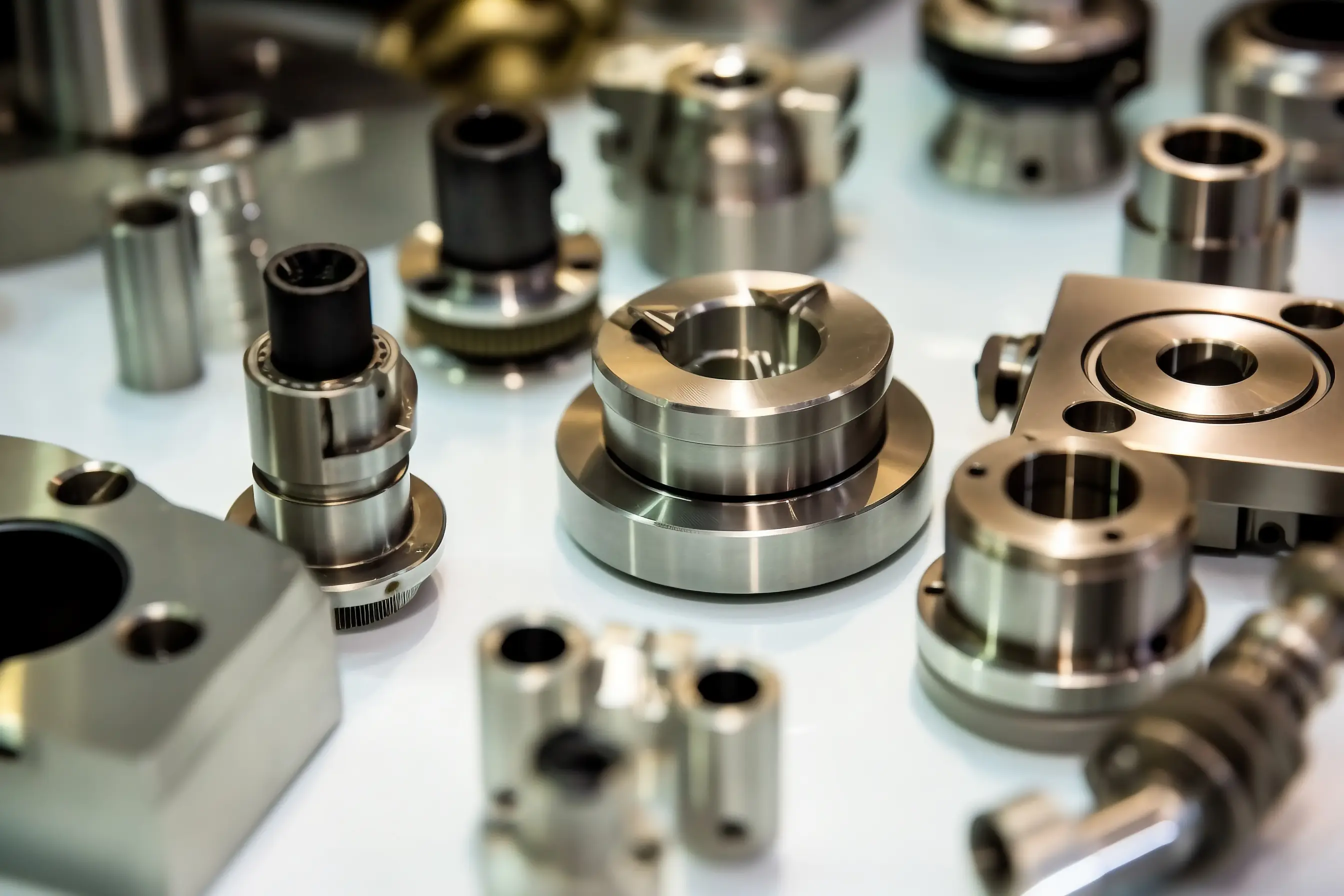
The functional prototype answers engineering questions: does the mechanism work, does the board fit, does the part carry the load, and does the assembly hold together. This stage needs real materials and real tolerances, which is why functional prototypes are machined or printed in production materials rather than modeled in foam. The measurements, thermal data, and failure modes found at this stage become the acceptance criteria for the production supplier, so the prototype should be as representative as the stage allows. A functional prototype that is not representative produces data that does not transfer to production.
For machined work, CNC machining is the usual route because it delivers production materials and tolerances; for geometry that suits additive, 3D printing gets there faster. The process choice should follow the data the stage needs, and the FDM vs SLA vs SLS guide and the prototyping route comparison cover the trade-offs.
Pre-Production Prototypes: The Process Check
The pre-production prototype validates manufacturing, not just design. It is built with the production process, production tooling, and production materials, and it checks the tooling, the assembly sequence, and the quality plan before volume. This stage catches the expensive problems: draft angles that bind, gates that mark visible surfaces, and tolerances that stack past the fit. A prototype made by a different process cannot predict a molded part’s shrinkage or a machined part’s tolerance, so the pre-production build uses the real process and its data becomes the acceptance baseline for volume.
Prototypes in Hardware and Software
The prototype concept applies differently across product types. Hardware prototypes are physical parts, made by printing, machining, or casting, and they test geometry, materials, and manufacturing. Software and interface prototypes are interactive models, from paper sketches to clickable demos, and they test workflows and user experience. For connected products, both tracks must converge before production; prototyping only the hardware defers interface problems to the worst possible moment, and prototyping only the interface ships a device that cannot be built.
Matching the Prototype to the Program
Every prototype order should be justified by the decision it enables. Keep early iterations cheap and fast, and spend more only when the stage requires production-representative data. When a program needs both speed and scale, a single partner that covers rapid prototyping and low-volume manufacturing keeps the material, fixture, and inspection standard continuous from the first build to the bridge run. Standards such as NIST measurement practice frame how tolerances are verified consistently across those stages.
Prototype Quantity and Iteration Planning
Prototype quantities follow the same question-first logic as the type. One part validates a single assumption; a small batch supports repeated tests or destructive trials; a longer run approaches production conditions and answers a different question at a higher price. The count should come from the test plan, not from habit, and the budget should plan for iterations rather than a single perfect build. Each prototype round carries fixed and variable costs, programming, setup, material, machine time, finishing, and inspection, and the per-part price drops as the quantity rises until the fixed cost is fully spread.
The cheapest way to iterate is to keep early rounds cheap and representative enough for the question. A concept model in a printed resin tells the design team almost everything it needs about look and feel; spending on a functional build for a shape that will change is waste. When the design stabilizes, the functional prototype in production materials earns its cost because its data transfers to the supplier’s acceptance criteria. Prototype budgeting should name the number of rounds and the gate that ends each round, so the program spends on evidence rather than on inventory. The low-volume manufacturing service carries the same fixed-and-variable structure into the bridge run.
Choosing the Build Process for the Stage
The process follows the prototype’s purpose. Printed parts, quick-turn CNC, and urethane casting cover most early prototypes, while production-intent builds use the production process. For machined parts, CNC machining provides production materials and tolerances without tooling; for appearance models, stereolithography or SLA resin gives the smoothest surface; for low volumes of plastic parts, urethane casting matches molded appearance without the mold cost. The choice is a trade among speed, fidelity, and cost, and the right answer changes as the stage moves from concept to pre-production. Suppliers that quote across processes, as the rapid prototyping workflow does, make the trade visible before the order.
Pitfalls That Waste Prototype Budgets
The most common budget mistakes are predictable. Ordering a single elaborate prototype when the next revision is already planned spends the fixed cost twice. Choosing a process for convenience instead of the question, printing a functional part that needed machining tolerances, or machining an appearance model that needed only a printed surface, buys the wrong data at the wrong price. Treating printed or machined parts as identical to production parts is another failure: a prototype can validate geometry while a pre-production build is the only honest check of the process.
Teams that keep each round focused, name the decision before the build, and move to production-representative parts only when the data requires it stretch the budget furthest. The sequence from early models to pilot builds is the sequence of evidence, and every part should either produce information or be skipped. The 3D printing vs CNC machining comparison and the FDM vs SLA vs SLS guide cover the process choices that keep early rounds cheap.
FAQs
What is a prototype in product development?
A prototype is a working representation of a product or part, built to validate a design before production. It exists to answer a question about look, fit, function, or manufacturability, and the type follows the question.
What is the difference between a concept model and a functional prototype?
A concept model proves the look, feel, and design direction with little or no function, and it is cheap and fast. A functional prototype proves the mechanism, fit, and performance in real materials, and it produces data that transfers to production.
What is a visual prototype used for?
A visual prototype shows appearance, finish, and color without full function, and it is used for design reviews, user testing, and marketing samples. It validates the look, not the load.
Can a prototype be called a model?
Yes, in common use: a concept model and a visual prototype are often the same object described differently. The useful distinction is the question, a model for appearance and a prototype for function, and the order should state which purpose the build serves.